Hi Frank,
Instead of trying with the default_envs or bottom build and upload options, which all require commenting or uncommenting different default_envs, can you see the PlatformIO icon on the left side - the alien head icon?
Select it and make sure that PROJECT TASKS is expanded, so that you should then see all defined environments, from the default environments.ini, and at the bottom your own defined lilygo-rtl-FG.
Can you see it, and when expanding lilygo-rtl-FG, under General, there should be the Build and Upload options just for this particular one environment.
An example with a different custom environment
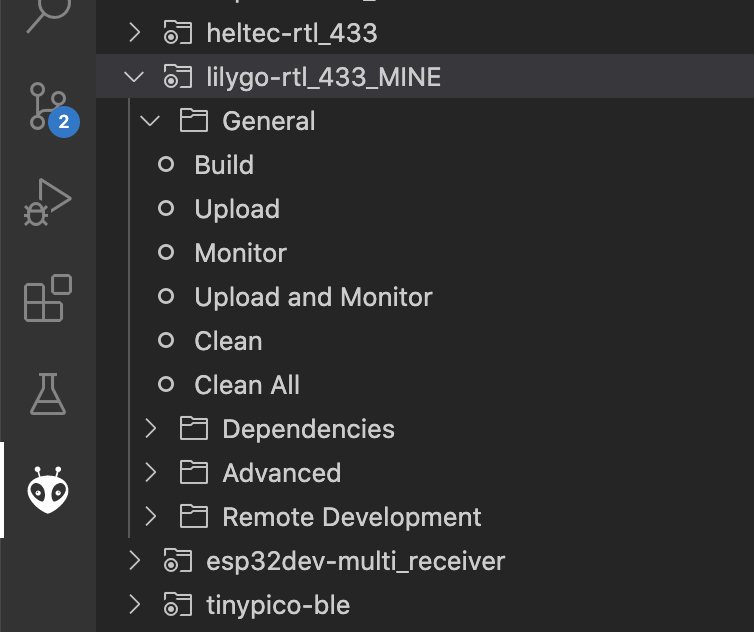
Do take out the
[default_envs = lilygo-rtl-FG]
however from your environment though. @nikito7 suggestion meant that you should add this to the top of your portable config file, not within the environment itself. I do find the PROJECT TASKS way of building and uploading specific environments a lot easier and straight forward though 
Could you also format any environment you are posting with the Preformatted Text option at the top of the text input field. Just makes it a lot easier for everyone else to read through them.
Let us know how you get on with my suggestions.