Shelly BLU Motion Sensor Decoding Issue

I have 5 MQTT gateway devices in my system that send topics to the same broker. 2 ShellyPlugUS, 1 TheengsBridge and 2 Theengs Plugs. The issue I’m running into is that the OMG products are not decoding my ShellyBLU motion sensor data the same way as the ShellyPlugUS gateways are.

Here is the topic and data as seen by the broker for the same BT device:

OMG Gateways

topic:
BLU/theengs_br01/BTtoMQTT/3C2EF5BD771A

value:
{“id”:“3C:2E:F5:BD:77:1A”,“name”:“SBMO-003Z”,“rssi”:-66,“brand”:“Shelly”,“model”:“ShellyBLU Motion”,“model_id”:“SBMO-003Z”,“type”:“CTMO”,“packet”:46,“batt”:100,“lux”:37,“motion”:false,“mac”:“3C:2E:F5:BD:77:1A”}

ShellyPlugUS Gateways

topic:
ShellyBLU/shellyplugus-083af200807c/BTtoMQTT/3C2EF5BD771A

value:
{“encryption”:false,“BTHome_version”:2,“pid”:45,“batt”:100,“lux”:37,“mot”:0,“rssi”:-61,“id”:“3c:2e:f5:bd:77:1a”,“brand”:“Shelly”,“version”:“1.2”,“ip”:“192.168.10.101”}

The specific issue seems to be that the OMG gateways are decoding “motion” and labelling it “motion” whereas the ShellyPlugUS gateways are calling it “mot”. HA seems to be expecting it to be “mot” and throws a parse error.

I could blacklist the ShellyBLU Motion sensors in the OMG gateways, but that would seem to be more of a band-aid than a real fix.

Cheers,

Craig
After some further digging, I’m thinking its an issue with the ShellyBLU gateways. The HA log where the error occurs is:

2026-05-13 15:54:15.813 ERROR (MainThread) [homeassistant.helpers.template] Error parsing value: ‘dict object’ has no attribute ‘motion’ (value: {“encryption”:false,“BTHome_version”:2,“pid”:11,“batt”:100,“lux”:88,“mot”:0,“rssi”:-64,“id”:“e8:e0:7e:d0:99:31”,“brand”:“Shelly”,“version”:“1.2”,“ip”:“192.168.10.101”}, template: {{ value_json.motion | is_defined }})

It’s apparently looking for “motion” but getting “mot” instead.

The ShellyPlugUS BTtoMQTT gateways send a different ShellyBLU Motion payload than the OMG gateways. HA doesn’t seem to like the ShellyPlugUS versions so I simply disabled their gateway function. The 3 OMG gateways I have give me adequate coverage.

For whatever reason, the OMG gateways hadn’t populated the HA discovery topics for the ShellyBLU motion sensors. To finally get them to I had to disable the 2 Theengs Plugs and the Theengs Bridge, delete all instances of the ShellyBLU motion in the broker and then restart the Theengs Bridge. After triggering all the ShellyBLU motion devices, the HA discovery topics were populated. HA immediately saw the devices. All good! Then I plugged in the 2 Theengs plugs.

That said, I still get HA errors parsing the payload on these ShellyBLU motion devices. It seems the ShellyBLU motions periodically publish payloads that only include rssi and not the other expected elements (lux, batt, packet, motion, etc). For example:

{“id”:“3C:2E:F5:BD:77:1A”,“rssi”:-62}

Whereas HA is expecting:

{“id”:“3C:2E:F5:BD:77:1A”,“name”:“SBMO-003Z”,“rssi”:-62,“brand”:“Shelly”,“model”:“ShellyBLU Motion”,“model_id”:“SBMO-003Z”,“type”:“CTMO”,“packet”:222,“batt”:100,“lux”:47,“motion”:false,“mac”:“3C:2E:F5:BD:77:1A”}

The devices are all working just fine. I’m just a bit OCD seeing all these errors in the HA log.

2026-05-15 09:12:27.996 ERROR (MainThread) [homeassistant.helpers.template] Error parsing value: ‘dict object’ has no attribute ‘motion’ (value: {“id”:“3C:2E:F5:BD:77:1A”,“rssi”:-62}, template: {{ value_json.motion | is_defined }})

Hello,

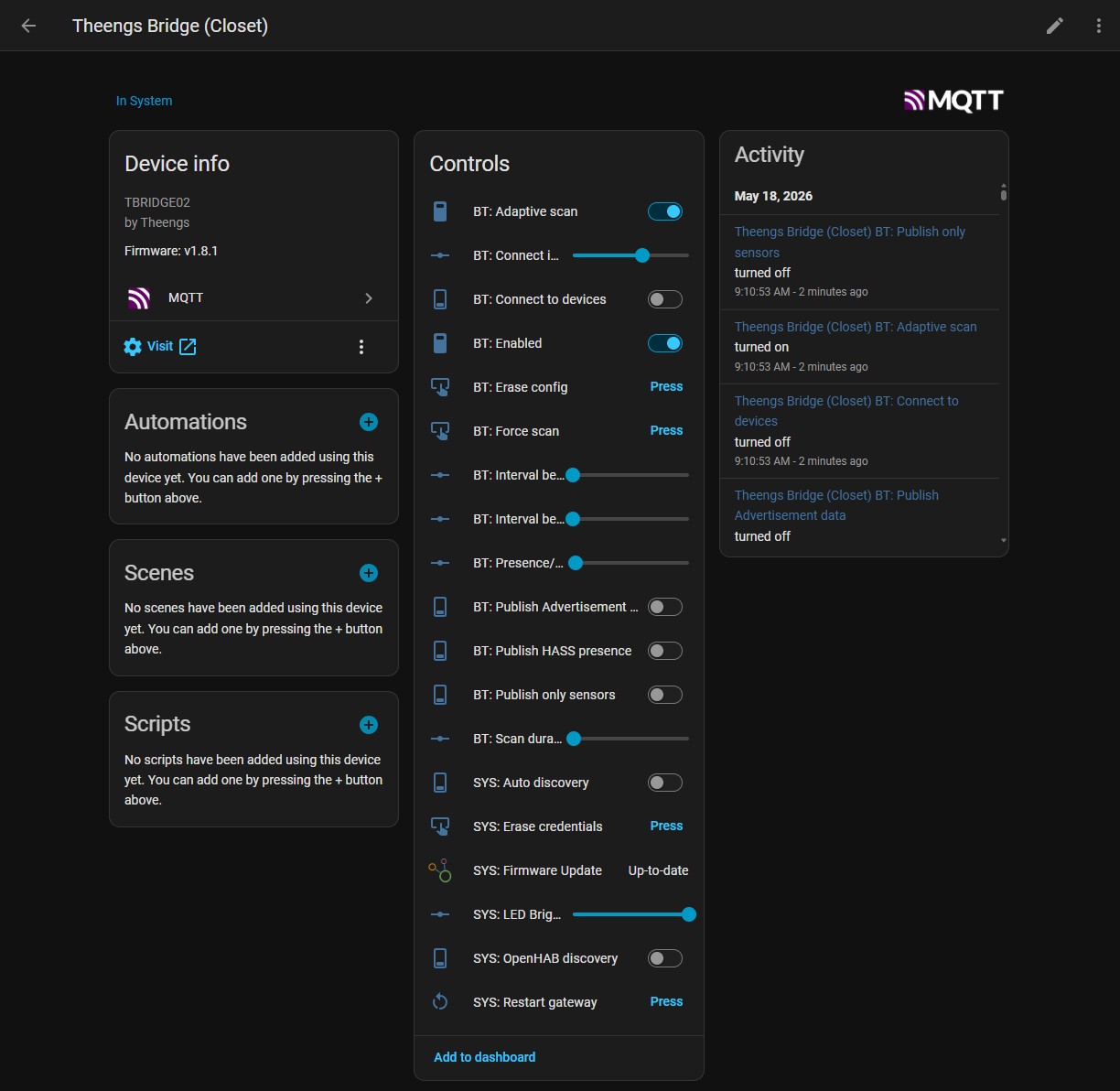
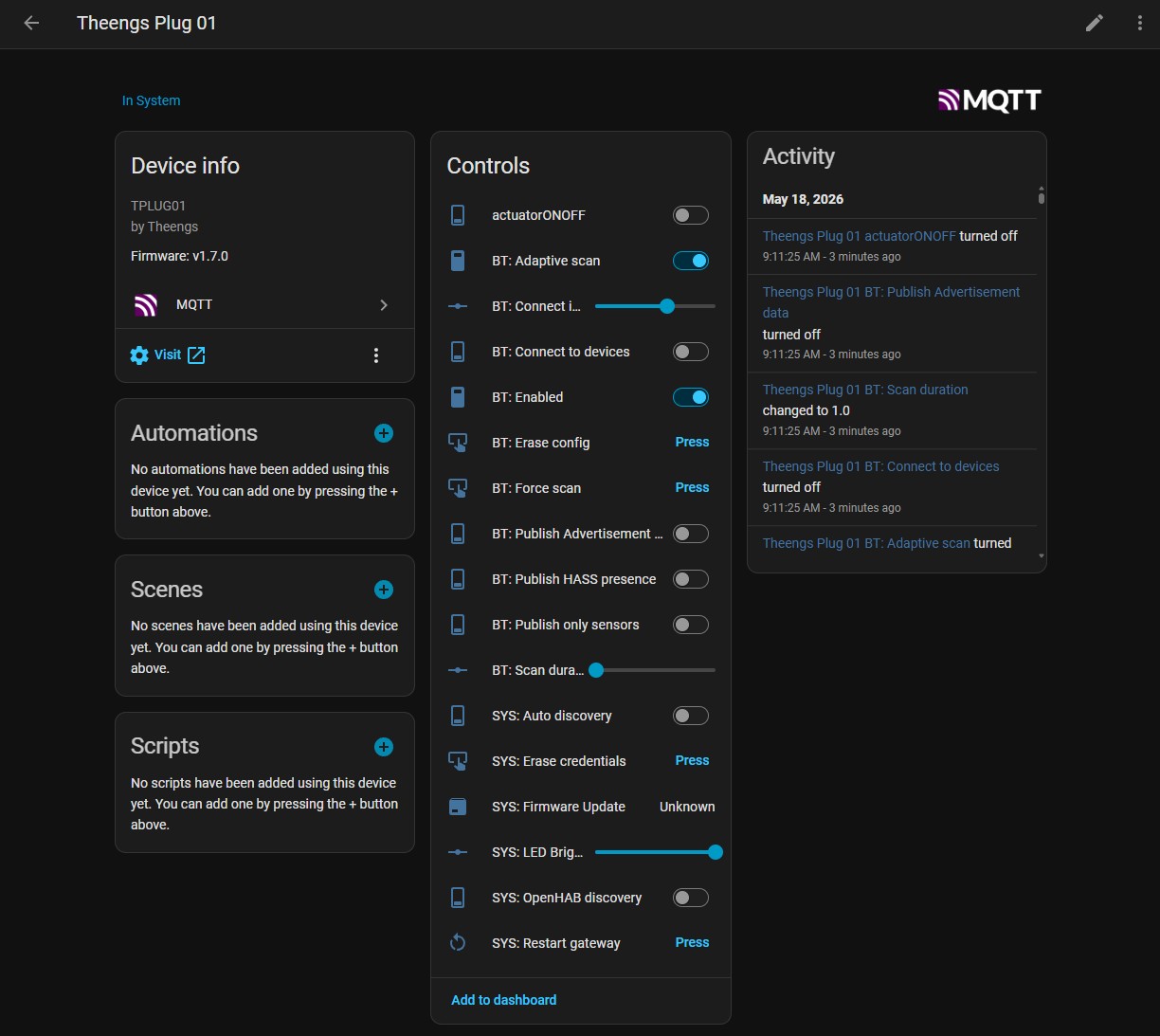
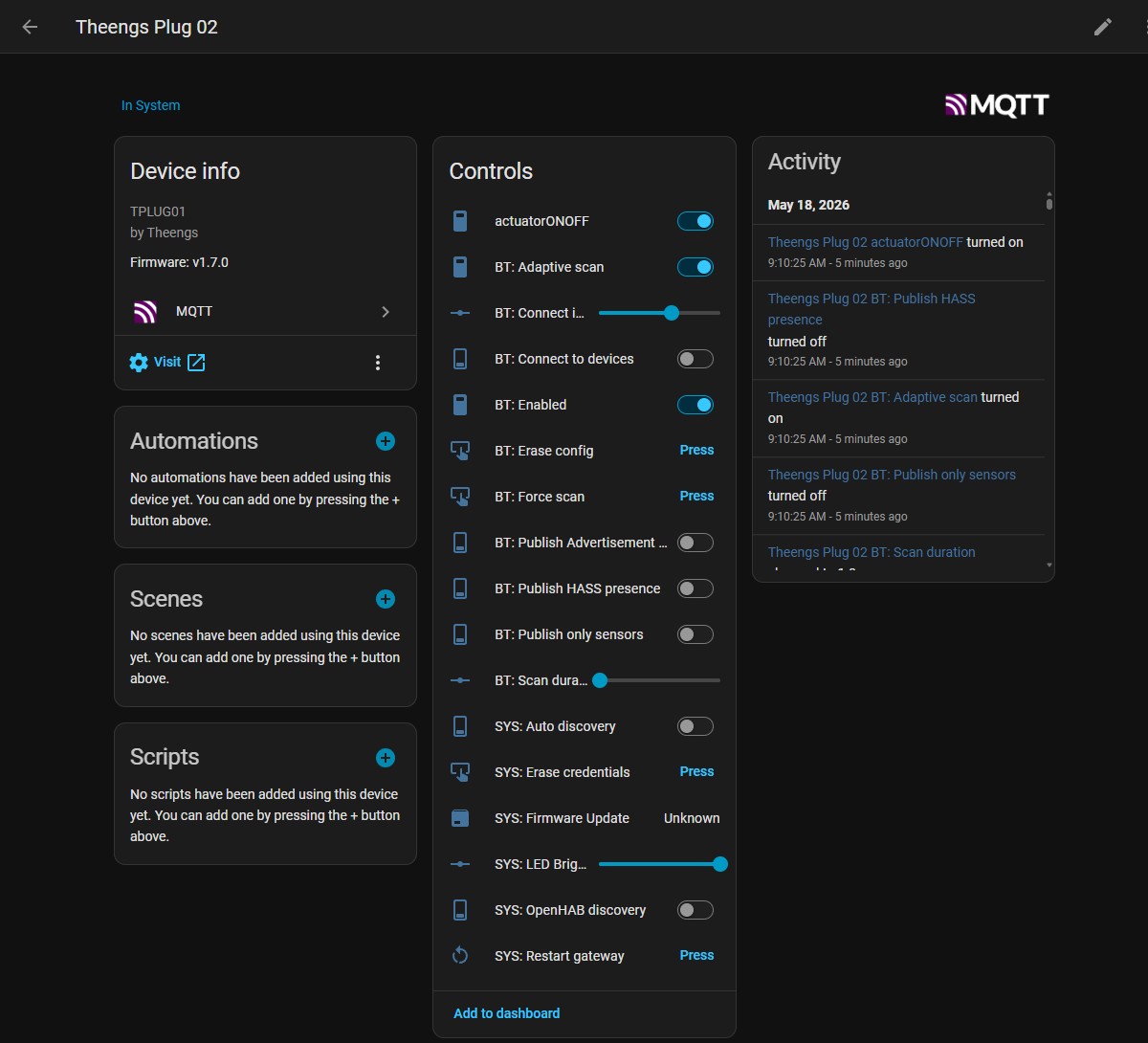
Could you share a screenshot of your gateway parameters from the HA Settings → Devices ?

Here are the screen shots for each of the OMG gateways

I was able to stop HA from complaining about the ShellyBLU payloads that didn’t have a motion element by modifying the HA discovery template that the gateway sends to the broker. Specifically the “tpl_val” parameter.

from

“{{ value_json.motion | is_defined }}”

to

“{{ value_json.motion | default(this.state) }}”

I published and retained it to each of the HA Discovery binary_sensor motion topics and then restarted HA.

I’m not sure this is the preferred approach, but it seems to work. The motion sensors behave as expected without throwing errors in the log.

Cheers,

Craig

You could try to activate this to remove the noise from the publications

image